DbVisualizer is a universal database client that connects to any JDBC-compliant data source, giving developers a single interface for querying and managing multiple database systems. First released in 2001 by DbVis Software AB, a Swedish company, it has become a widely adopted tool among database administrators and software engineers who work across heterogeneous environments. Readers exploring dbvisualizer will also find context in Carmen Matarazzo: A Legacy in Entertainment and Family
Origins and Development of the Platform
DbVis Software AB developed DbVisualizer to address a practical problem: teams managing several different database engines often had to switch between vendor-specific tools, each with its own interface and limitations. By building on the Java Database Connectivity standard, the company created a client that could connect to PostgreSQL, Oracle, MySQL, SQL Server, and dozens of other systems from one application. The software runs on Windows, macOS, and Linux, making it one of the few database clients with true cross-platform support. wikipedia.org/wiki/DbVisualizer” rel=”noopener noreferrer” target=”_blank”>DbVisualizer
Over the years, the product has evolved through regular updates. The company maintains a consistent release cadence, adding support for new database versions and improving the user interface. DbVisualizer is available in two editions: a free version with core functionality and a Pro edition that adds features such as query builder tools, visual explain plans, and team collaboration capabilities.
How DbVisualizer Works and What It Offers Users
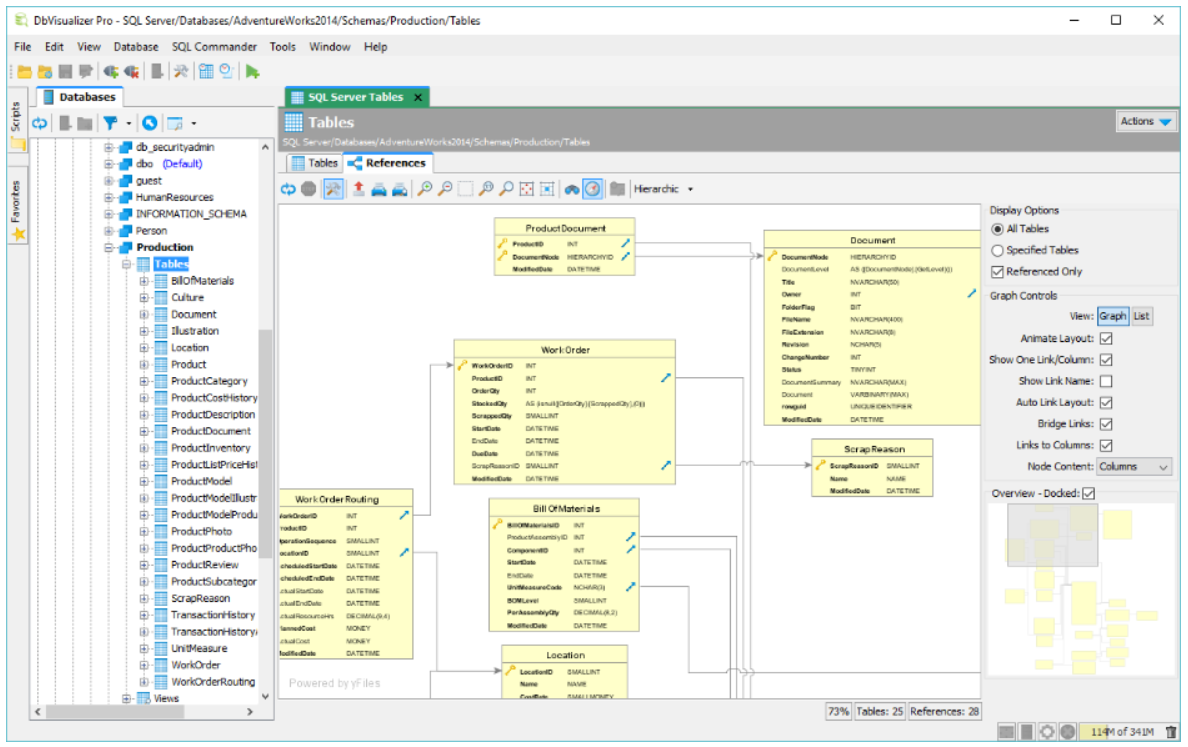
At its core, dbvisualizer functions as a SQL editor and object browser. Users connect to a database by configuring a JDBC driver, after which they can browse schemas, tables, views, and stored procedures through a tree-structured navigator. The SQL editor includes syntax highlighting, auto-completion, and the ability to execute multiple statements in sequence. Results are displayed in sortable, exportable grids that support formats including CSV, HTML, and XML. dbvis.com/” rel=”noopener noreferrer nofollow” target=”_blank”>SQL Client and Database Management Software – DbVisualizer
The Pro edition extends these capabilities with visual query builders that let users construct joins and filters without writing raw SQL. It also provides schema comparison tools, allowing teams to diff two database structures and generate migration scripts. For users working with large result sets, the application supports fetch limits and background query execution to keep the interface responsive.
DbVisualizer also includes a reference chart feature that maps database-specific data types to JDBC types, which helps developers writing portable applications. The tool logs all executed statements, making it straightforward to audit queries or reproduce a sequence of operations during debugging.
What Is Confirmed and What Remains Unverified
Support for JDBC-compliant databases and cross-platform operation on the three major operating systems is also well established.
What is harder to verify independently is the exact size of the user base and the specific adoption rates across different industries. The company does not publish detailed usage statistics, so claims about how many organizations rely on the tool should be treated with caution.
Why This Tool Matters for Modern Development Teams
As organizations increasingly operate polyglot persistence architectures — combining relational, NoSQL, and cloud-native databases — the need for a unified client grows. DbVisualizer fills a specific niche for teams that want a lightweight, Java-based tool without the overhead of a full IDE. Its long track record and steady update cycle suggest ongoing viability, and the free tier lowers the barrier for individual developers and small teams evaluating database tooling options.